PDF to Image API
The PDF to Image API converts PDF pages to JPG, PNG or WebP images. Upload a PDF or pass a link to one, choose the pages, the resolution (30 to 300 DPI) and the image quality, and get every page back as an image in one JSON response, together with the page's text. Ask for a single page with an image Accept header to get the image file itself.
Use it to make thumbnails and previews of documents, show PDF pages in apps and browsers that cannot display PDFs, prepare pages for printing or for OCR, or batch convert reports, invoices and scans. Password-protected PDFs are supported.
Each page counts as 10 API calls against your monthly quota. Requests that fail are not counted, and the X-Api-Calls-Charged response header shows how many API calls each request used. See pricing.
Need JPGs only? The PDF to JPG API page covers JPG quality and file sizes. To go the other way, the Image to PDF API and JPG to PDF API turn images into a PDF. To read the text in scanned pages, use the Image to Text API.
Available endpoint:
- /v1/pdftoimage - Convert PDF pages to images
At a Glance
| Input | A PDF: upload (about 4 MB), raw body, or url (25 MB) |
|---|---|
| Output | JPG, PNG or WebP, as base64 in JSON or as an image file |
| Resolution | 30 to 300 DPI (default 150) |
| Pages per request | Up to 10 |
| Page text | Included for every page |
| API calls | 10 per page returned |
Choosing a Format
| format | Best for |
|---|---|
jpg | Scans, photos and previews: the default, and widely supported. Set quality to trade size for detail. |
png | Sharp text, line art and diagrams: lossless, larger files. |
webp | Web pages and apps: usually smaller than JPG at the same quality. |
Choosing a Resolution
| dpi | US Letter page | Good for |
|---|---|---|
72 | 612 x 792 px | Thumbnails and previews |
150 | 1275 x 1650 px | Reading on screen (default) |
300 | 2550 x 3300 px | Printing, zooming and OCR |
Related APIs
- PDF to JPG API - PDF pages to JPG images
- Image to PDF API - JPG, PNG and other images to one PDF
- JPG to PDF API - JPG photos and scans to one PDF
- Image to Text API - Read the text in an image (OCR)
https://api.api-ninjas.com/v1/pdftoimage
Converts the pages of a PDF to JPG, PNG or WebP images. Returns each page as a base64 image with its size and its text, or one page as a raw image file. Accepts GET or POST: use POST to upload the PDF, or GET with url.
Parameters
Send the PDF in one of three ways: as file (a multipart form upload), as url, or as the raw request body with Content-Type: application/pdf (up to about 4 MB). The other parameters can be query parameters or multipart form fields.
fileoptionalThe PDF, as a multipart form upload (
multipart/form-data), up to about 4 MB. Send one PDF per request.urloptionalA public
http://orhttps://link to the PDF, up to 25 MB, e.g.https://example.com/report.pdf. Works with GET or POST.pagesoptionalThe pages to convert: one page (
1), a range (2-5), a list (1,3,7-9) or a range to the end (4-, page 4 to the last page). Page 1 is the first page. Default: every page, up to 10 per request (see limits).formatoptionalImage format:
jpg(default),pngorwebp.dpioptionalResolution in dots per inch, from
30to300. Default150. At 150 DPI a US Letter page is about 1275 x 1650 pixels; at 300 DPI, 2550 x 3300.qualityoptionalImage quality for
jpgandwebp, from1to100. Default85. Lower values make smaller files with more compression artifacts. Ignored forpng, which is lossless.passwordoptionalThe password of a password-protected PDF.
Headers
X-Api-KeyrequiredAPI Key associated with your account.
Acceptoptionalimage/jpeg, image/png, image/webp(matching format) orimage/*returns the first requested page as a raw image file instead of JSON.Content-Typeoptionalapplication/pdfwhen the request body is the PDF itself. Multipart uploads set their own content type.
Response
The /v1/pdftoimage endpoint returns a JSON object with the following fields, or an error if the request is unsuccessful (see errors).
page_countNumber of pages in the PDF.
next_pageThe next requested page that is not in this response, because of the per-request limits, or
nullwhen every requested page was returned. To continue, send the same request withpagesstarting atnext_page, e.g.pages=11-.pagesThe converted pages, in the order requested, each with the fields below.
pages[].pagePage number in the PDF (1 is the first page).
pages[].formatjpg,pngorwebp.pages[].width, pages[].heightImage size in pixels.
pages[].textThe text on the page, as plain text. Empty for scanned pages, whose text is part of an image; to read those, send the page image to the Image to Text API.
pages[].imageThe image file, base64-encoded.
With an image Accept header, the response body is the raw image of the first requested page, with Content-Type image/jpeg, image/png or image/webp. Every successful response has an X-Api-Calls-Charged header with the number of API calls the request counted.
Limits
- Up to 10 pages per request.
- Each response carries up to about 4 MB of images. At high DPI fewer pages fit (around four text pages at 300 DPI); the rest are left for the next request, from
next_page. - Pages wider or taller than 5,000 pixels, or larger than 12 megapixels, at the requested DPI are scaled down to fit.
- Uploads up to about 4 MB; PDFs from
urlup to 25 MB.
API Calls
Each page returned counts as 10 API calls: a response with 3 pages counts as 30. Requests that fail are not counted. If your remaining quota covers fewer pages than you asked for, the response returns the pages it covers, and next_page points at the rest.
Live Demo
Get a free API key to get started — no credit card required.
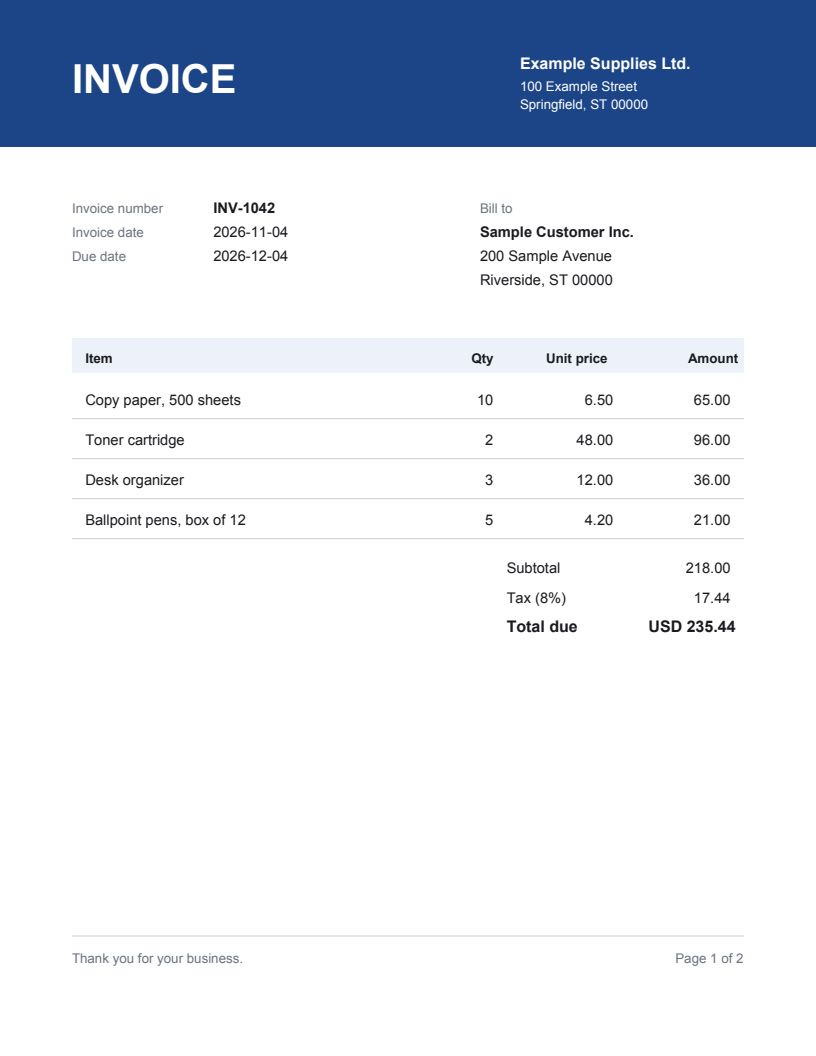
The live demo converts one page at up to 150 DPI, from PDFs up to 2 MB. No API key is needed to try it.
Code Examples
 cURL
 Python
 JavaScript
 Node.js
 PHP
 Go
 Java
 C#
 Ruby
 Swift
# Convert pages of document.pdf; the JSON holds each page as a base64 image
curl -X POST "https://api.api-ninjas.com/v1/pdftoimage?pages=1-3&format=png" \
  -H "X-Api-Key: YOUR_API_KEY" \
  -F "file=@document.pdf"

# Or save page 1 as a PNG file
curl -X POST "https://api.api-ninjas.com/v1/pdftoimage?pages=1&format=png" \
  -H "X-Api-Key: YOUR_API_KEY" \
  -H "Accept: image/png" \
  -F "file=@document.pdf" \
  --output page-1.png
Errors
An invalid request returns HTTP 400 with a JSON body holding a readable error message, and is not counted against your quota. Authentication and quota errors use the standard format described in error codes.
| Cause | Example error |
|---|---|
| No PDF in the request | Send a PDF as file (a multipart form upload) or as url (a link to the PDF). |
| The file is not a PDF | The file is not a PDF. |
A password-protected PDF without password | This PDF is password-protected. Send its password in the password parameter. |
A wrong password | The password is incorrect for this PDF. |
pages outside the PDF, e.g. pages=5 for a 3-page PDF | pages is outside this PDF, which has 3 pages. |
A pages value that is not a page list | pages must be page numbers or ranges such as 1, 2-5, 1,3,7-9 or 4- (page 4 to the end). |
A format other than jpg, png or webp | format must be jpg, png or webp. |
A number out of range, e.g. dpi=600 | dpi must be between 30 and 300. |
A PDF at url over 25 MB | The PDF at url is larger than 25 MB. |
| One page alone is too large for a response | Page 1 is too large to return at 300 DPI as PNG. Use a lower dpi or format=jpg. |
Frequently Asked Questions
Can I use the PDF to Image API for commercial purposes?
Yes, but you must have a premium subscription. Commercial use of the PDF to Image API is not permitted on the free tier. See our pricing page to choose a plan that fits your needs.How do I get an API key and start using the PDF to Image API?
Sign up for a free account to instantly get your API key, then pass it in theX-Api-Keyheader on every request. The documentation above includes ready-to-run examples in cURL, Python, JavaScript, Node.js, and more.What happens if I exceed my quota for the month?
Your API requests will simply be denied once you hit your monthly quota — you will never be charged more than the plan you signed up for. To increase your quota, you can upgrade your plan any time on our pricing page.What happens if a request to the PDF to Image API fails?
The API responds with a standard HTTP status code and a JSON error message describing the problem. See our error codes reference for the full list of codes and how to resolve each one, or contact support if you need help.How do I convert a PDF to images with an API?
Send the PDF to/v1/pdftoimage: as a multipart upload namedfile, as the raw request body withContent-Type: application/pdf, or as aurl. Chooseformat(jpg,pngorwebp),dpiandpages, e.g./v1/pdftoimage?pages=1-3&format=png. The JSON response holds each page as a base64 image with its width, height and text. For JPG specifics, see the PDF to JPG API.Can I batch convert a whole PDF to images?
Yes. One request converts up to 10 pages, and fewer at high DPI, because a response carries up to about 4 MB of images. When pages are left over,next_pagetells you where to continue: send the same request again withpages=<next_page>-untilnext_pageisnull.page_countgives the total number of pages up front.Which image format should I choose: JPG, PNG or WebP?
jpg(the default) gives small, widely supported files and suits scans, photos and previews.pngis lossless, so text and line art stay pixel-sharp, at a larger size.webpis usually smaller than JPG at the samequality, and works in all modern browsers.What DPI should I use?
72 DPI for thumbnails and previews, the default 150 DPI for reading on screen, and 300 DPI for printing, zooming or OCR. At 150 DPI a US Letter page is about 1275 x 1650 pixels, and at 300 DPI 2550 x 3300. Very large pages, such as posters and drawings, are scaled down to at most 5,000 pixels on a side and 12 megapixels.Does the API return the text of each page?
Yes. Every page has atextfield with the page's text as plain text, so you can index or search a PDF while you convert it. Scanned pages have no text layer, so theirtextis empty; send their images to the Image to Text API to read them.How many API calls does converting a PDF use?
Each page returned counts as 10 API calls, so converting a 3-page PDF counts as 30. Requests that fail are not counted, and theX-Api-Calls-Chargedresponse header shows the count for each request. See pricing for the monthly API calls in each plan.
Explore API integration use cases for recommended APIs and workflow examples.